DATAMIMIC / Platform
Test data platform for banking and insurance.
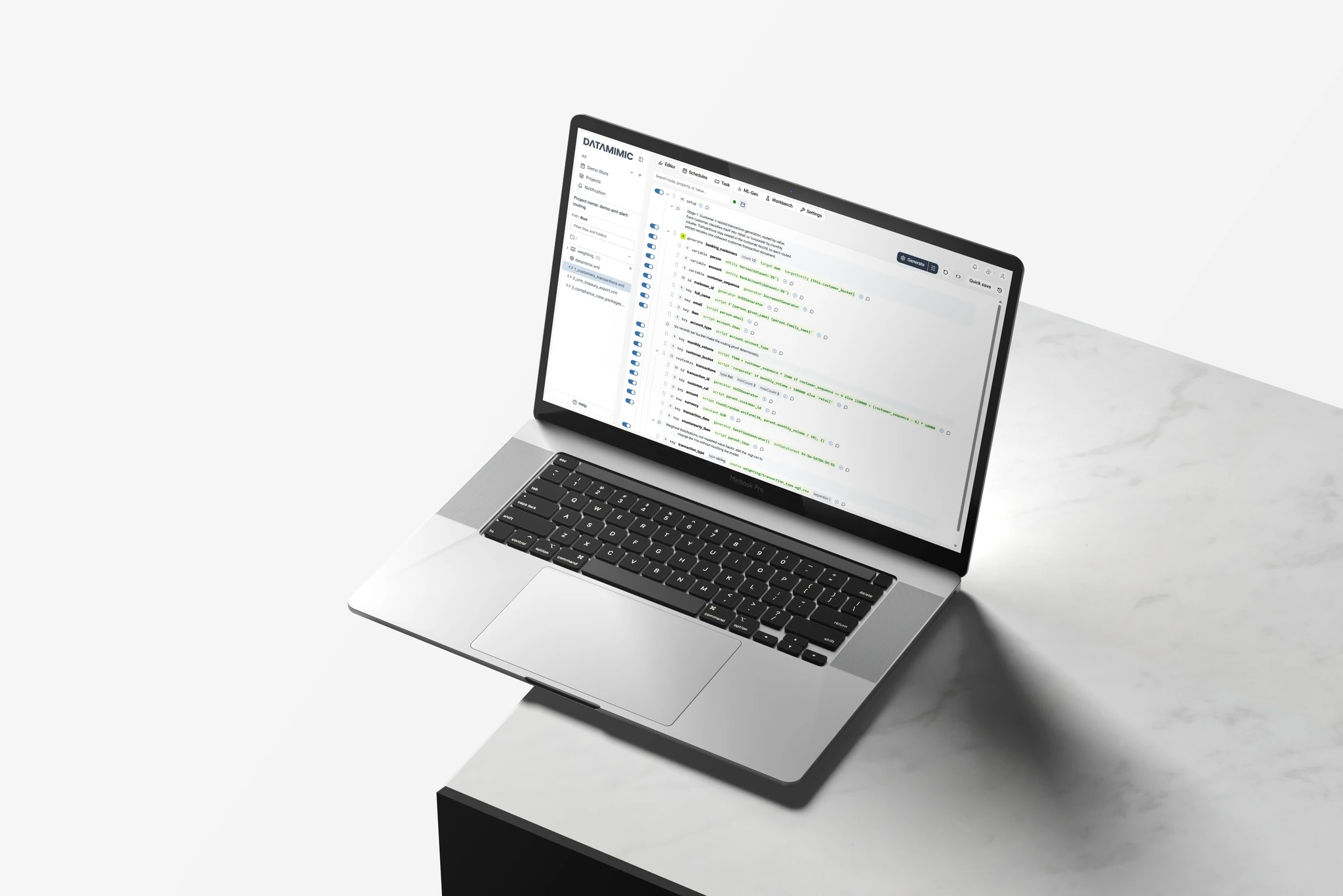
Model, transform and generate test data with reusable models, Workbench mappings, controlled execution and reviewable results. Explore the platform through videos and current product screenshots.
Real workflows · Product screenshots · Edition comparison

Platform videos
See DATAMIMIC in action.
Watch real workflows, from a database schema and business rules to generated test data.

Database schema · 1:02
Generate synthetic test data from a database schema
Video 01 of 05 · Database schema · 1:02
Generate synthetic test data from a database schema
- 01
Database schema · 1:02
Explore the workflow for generating a model from a database schema.
- 02
Customer data · 0:32
See reusable rules applied to synthetic customer data.
- 03
Insurance · 0:36
See chronological insurance claims data generated as JSON.
- 04
Banking · 0:55
Explore reusable loan models for a banking test-data scenario.
- 05
Seeded replay · 0:47
Check the artifact, not just the seed.
Beyond the demonstrations
Everything needed to build and run test-data workflows.
The DATAMIMIC UI supports the workflow beyond the featured recordings.
01 / Start
Templates & Projects
Create a project from a template or import your model. Organize work and collaborate on shared test-data projects.
02 / Model
Editor & Workbench
Define generators, relationships, and reusable field-level transformation mappings, then inspect the configuration.
03 / Execute
Run & Preview
Execute models and review generated or transformed output, task artifacts, and logs.
04 / Govern
Govern & Integrate
Manage project access, schedule work, and integrate through APIs, Git, and coding-agent tooling.
Work from the platform or your IDE
Work with platform projects from the web UI or your IDE. DATAMIMIC offers a separate JetBrains plugin and an extension for VS Code, Kiro and Antigravity. MCP connects supported agents to projects with scoped access; availability depends on the IDE host and version.
See what actually happened
Inspect task status, logs, previews, generated artifacts and the run snapshot together in the run drawer.

Enterprise Core
Built for larger workloads.
The platform runs on a separate Enterprise Core with Rust-optimized execution paths and parallel processing. It is designed for larger data volumes; actual throughput depends on the model, target systems and deployment.
Parallel execution
Scale execution across workers to suit your environment and workload.
Reproducible runs
For seeded, rule-based data, byte-identical replay requires unchanged engine version, complete inputs, seed, execution topology, serialization and ordering. ML output is excluded.
Shared DSL, separate engines
Community Edition is a standalone Python library and CLI. The platform uses the Enterprise Core and adds shared projects and managed operation.
Validate performance and replay with your own workload. The same seed alone does not guarantee identical output across engines or worker configurations.
Banking and insurance
Test data for financial workflows.
From reusable customer and account models to message-based integration tests, DATAMIMIC helps teams exercise business rules in their own environment.

SWIFT MT and other message formats
The Enterprise Platform template engine supports SWIFT MT, EDIFACT and HL7 message output for test and training environments.
ISO 20022
For the Enterprise Platform, customer-specific ISO 20022 message generation can be built per engagement on the template framework. It is not a guaranteed stock template.
Validate with your own systems
Evaluate business rules, data volumes, integrations and reproducibility against your own acceptance criteria.
Recent platform capabilities
More ways to work with data.
Highlights from the latest release, designed around real project workflows.

Reusable field mappings
Define global and project-level mapping rules for relational sources, edit them in Workbench and preview CSV imports.
Operate on artifacts
Use the Artifact Operate API to modify existing XML and JSON artifacts with XPath or JSONPath, accepting up to 100 operation rows per synchronous request.
One project, multiple ways to work
Use the web UI, supported IDEs and agents with platform project permissions and file locks.
Explore the release notes for supported versions and details.
The interface
See the workflow in the platform.
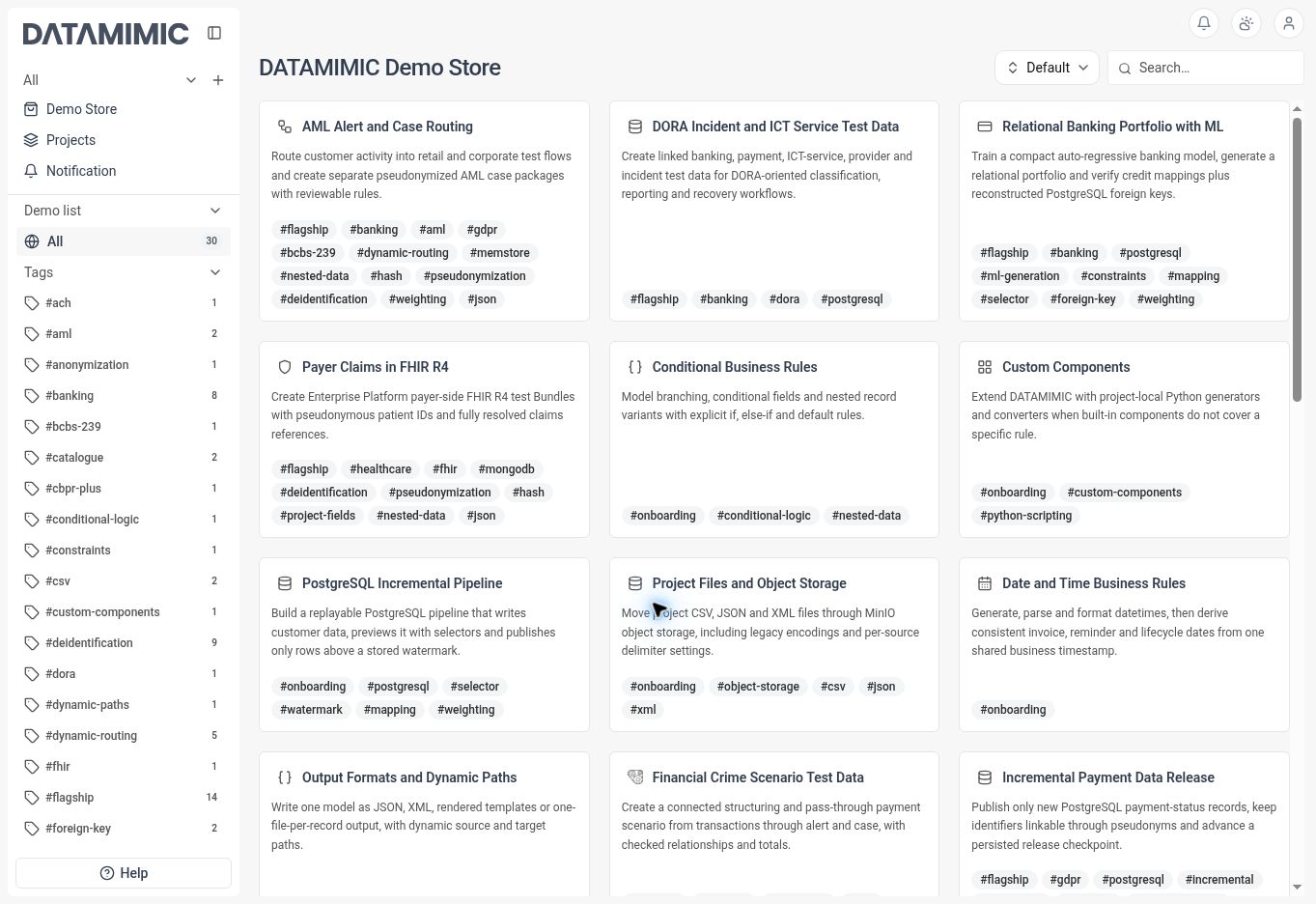
Explore current product views, from the Demo Store and projects to authoring, Workbench and task execution.
01 / Templates & Projects
Start with a project or a template.
Create a project from scratch, import an archive or explore templates and demos to start a workflow.
02 / Projects & Collaboration
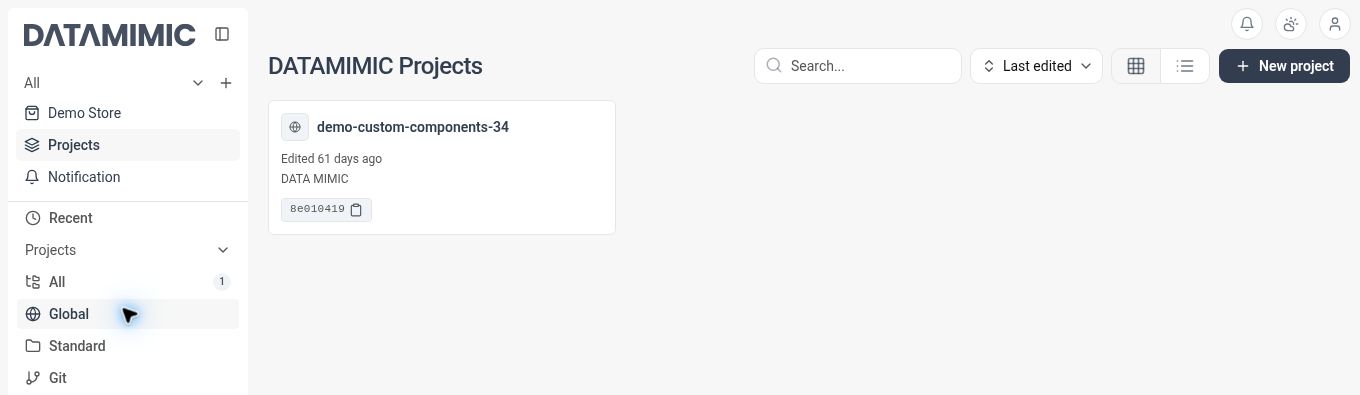
Keep your team in the same workspace.
Organize projects, access models and collaborate with other users.
03 / Reuse
Share resources across projects.
Make common generators, scripts and files available through a linked global project.
04 / Editor
Work with an explicit model.
Review and edit model elements and business rules in the platform editor.
05 / Workbench
Explore a source and build a model.
Use the Workbench to explore a connected source and review inferred fields before generation.
06 / Tasks
Follow execution and inspect results.
Review task status and access execution details, logs and artifacts from the project.
07 / Model, run and review
Follow a model through execution.
Use the editor and Workbench to configure workflows, then inspect task status, previews, logs and artifacts.
Enterprise-ready evaluation
Evaluate DATAMIMIC in your environment.
Review integration fit, reproducibility, governance, security, and a scoped proof-of-value before purchase.